
Editing · KiwiMotion
GPT Image 2.5 Image Editing: References, Identity, Text & Transparency
See how GPT Image 2.5 handles reference images, identity preservation, precise edits, compositing, transparent cutouts and multi-turn changes.
By KiwiMotion ·
Start with the source image
GPT Image 2.5 supports image editing with one or more references. In KiwiMotion, upload the base image, assign a specific role to any additional references, then state both the intended change and what must remain untouched. The paired images below are the actual published references and results. Some multi-reference publications show the primary before image only; open the full Prompt Library record for the complete instructions.
See OpenAI’s official editing and reference guidance for model-level behavior.
01 / Reference edit
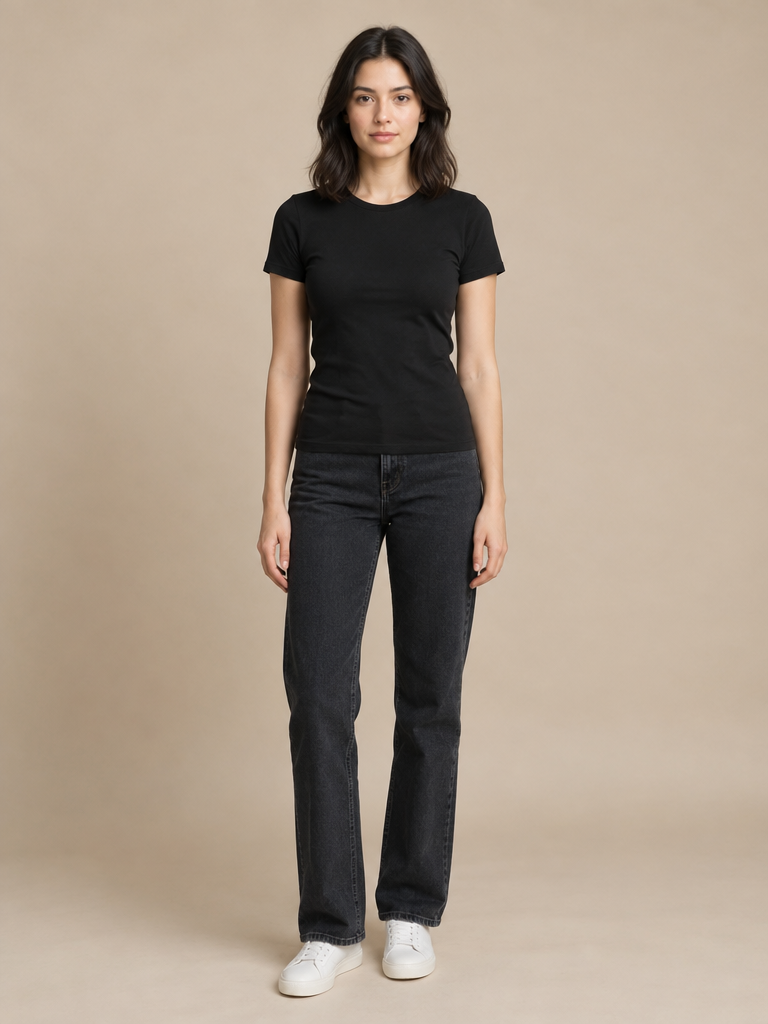
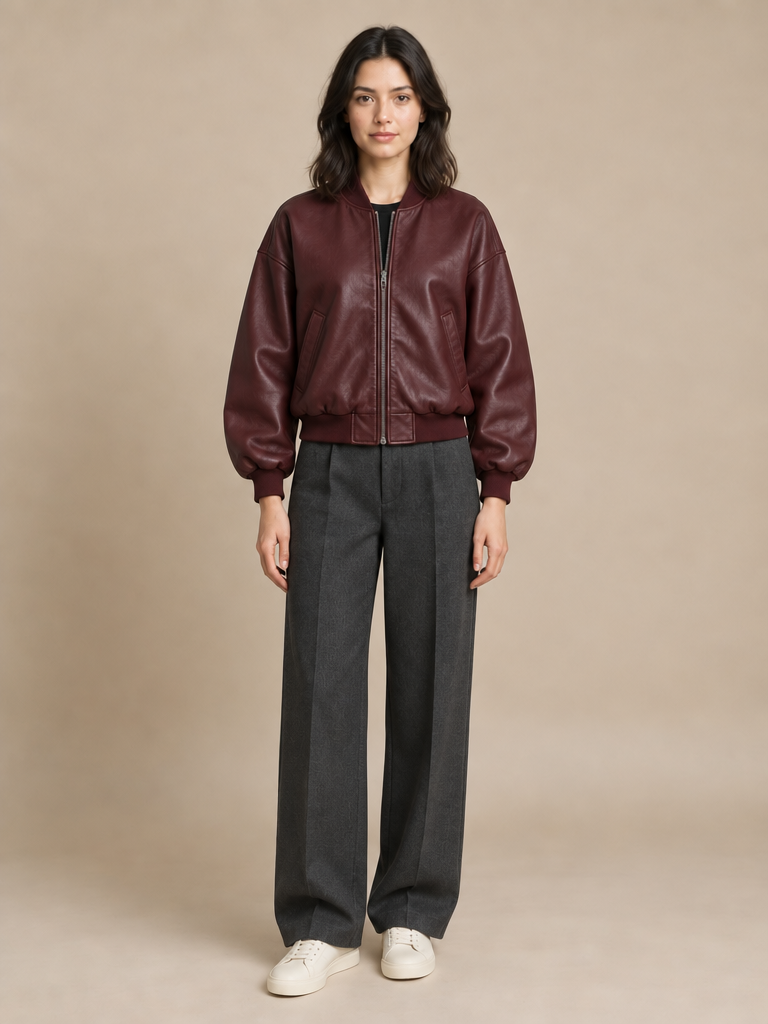
Preserve a subject; change clothing
The subject photo is the identity and pose anchor; clothing references supply only the replacement garments.
The before/result pair keeps a frontal full-body studio stance while replacing the black top and jeans with a burgundy jacket and tailored trousers.
Preview prompt
Edit Image 1.

Use:
Image 2 as the jacket reference.
Image 3 as the trousers reference.
Image 4 as the footwear reference.

CHANGE ONLY THE CLOTHING.

Dress the woman naturally in the referenced burgundy bomber jacket, charcoal trousers and cream sneakers.

KEEP UNCHANGED:
her exact face
facial features
skin tone
hairstyle
body shape
body proportions
pose
hands
expression
camera angle
framing
background
lighting

Fit the garments naturally to her body and existing pose with realistic folds, material behavior, shadows and contact.

Do not add jewelry, bags, hats, logos or text.

Result must loo…
02 / Reference edit
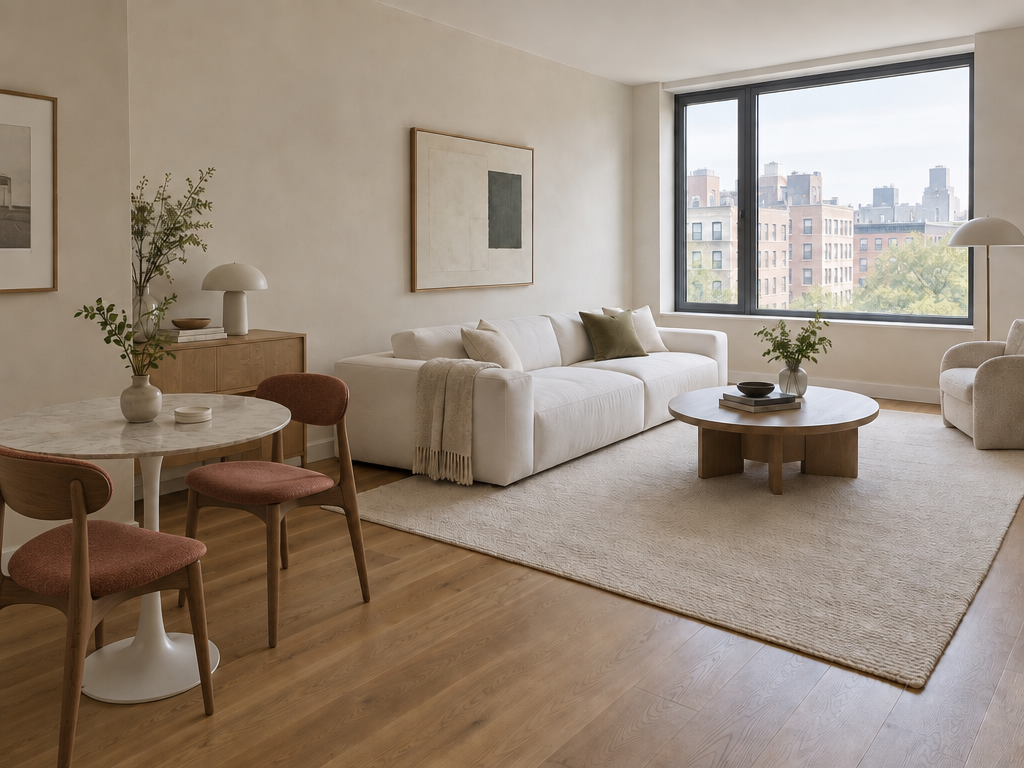
Replace one object in a room
Request only the two chairs and protect the rest of the room, including window light and camera view.
The white chairs become walnut upholstered chairs; the sofa, round table and window remain in their original places.
Preview prompt
Edit the room photograph.

Replace ONLY the two white dining chairs with sculptural walnut chairs upholstered in muted rust fabric.

KEEP UNCHANGED:
camera angle
room dimensions
window
walls
floor
rug
sofa
table
lighting
shadows
all other objects

Match realistic perspective, scale, contact shadows and natural lighting.

Do not redesign the room.
Do not move furniture except the two replaced chairs.
Do not add decoration.
03 / Reference edit
Combine several references
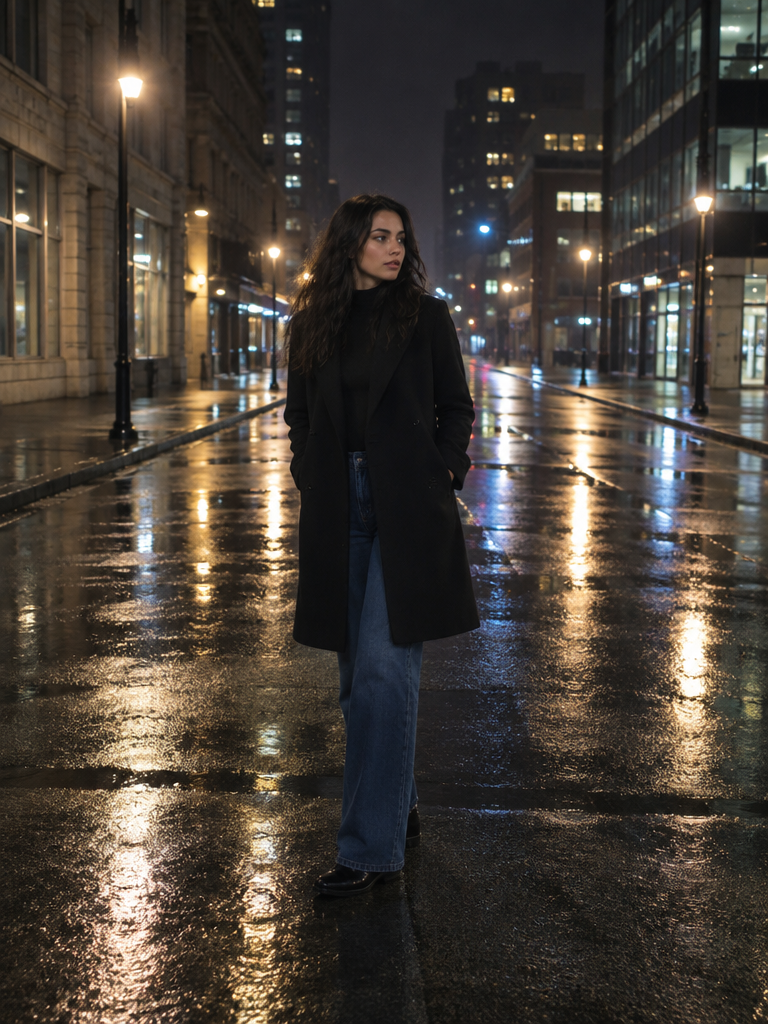
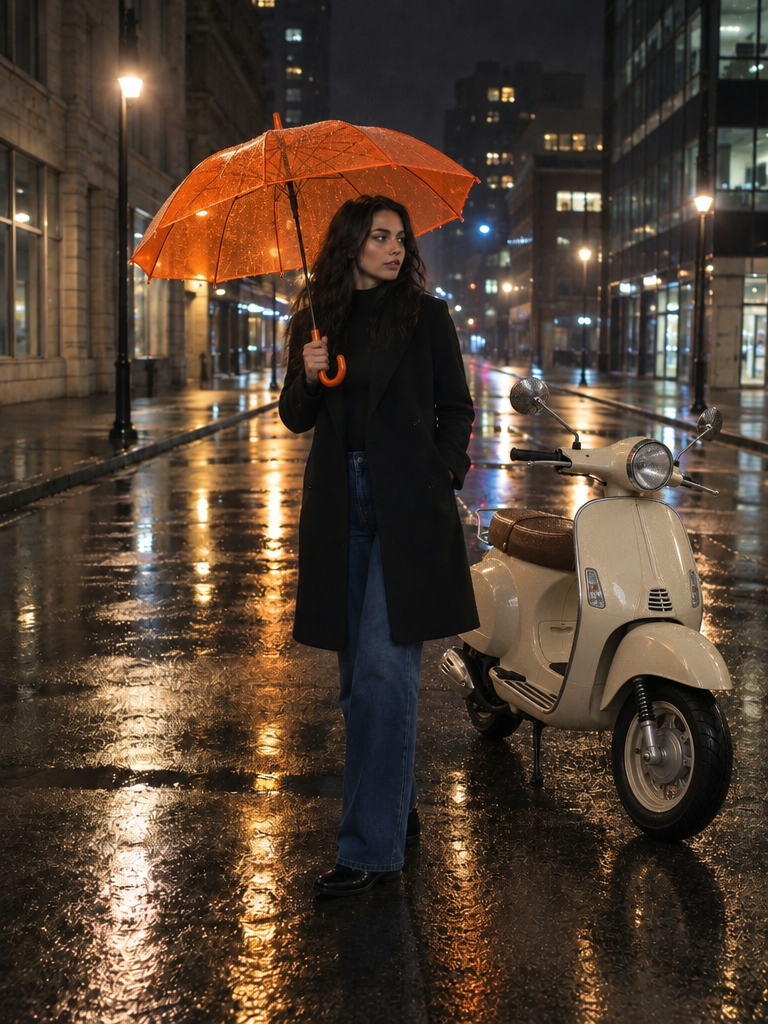
Identify Image 1 as the base street scene; assign the scooter and umbrella references separate roles.
The final image adds the umbrella and scooter around the woman while keeping the wet night street recognizable.
Preview prompt
Edit Image 1 using the other references.

Add the scooter from Image 2 parked naturally beside the woman.

Place the umbrella from Image 3 in the woman's right hand.

KEEP UNCHANGED:
woman's identity
face
body
clothing
pose as much as physically possible
street
camera perspective
nighttime lighting
overall composition

Integrate both added objects with correct scale, perspective, wet-surface reflections, shadows and environmental lighting.

Do not redesign the scooter or umbrella.
Do not add other objects or people.
04 / Reference edit
Transfer style, not subject matter
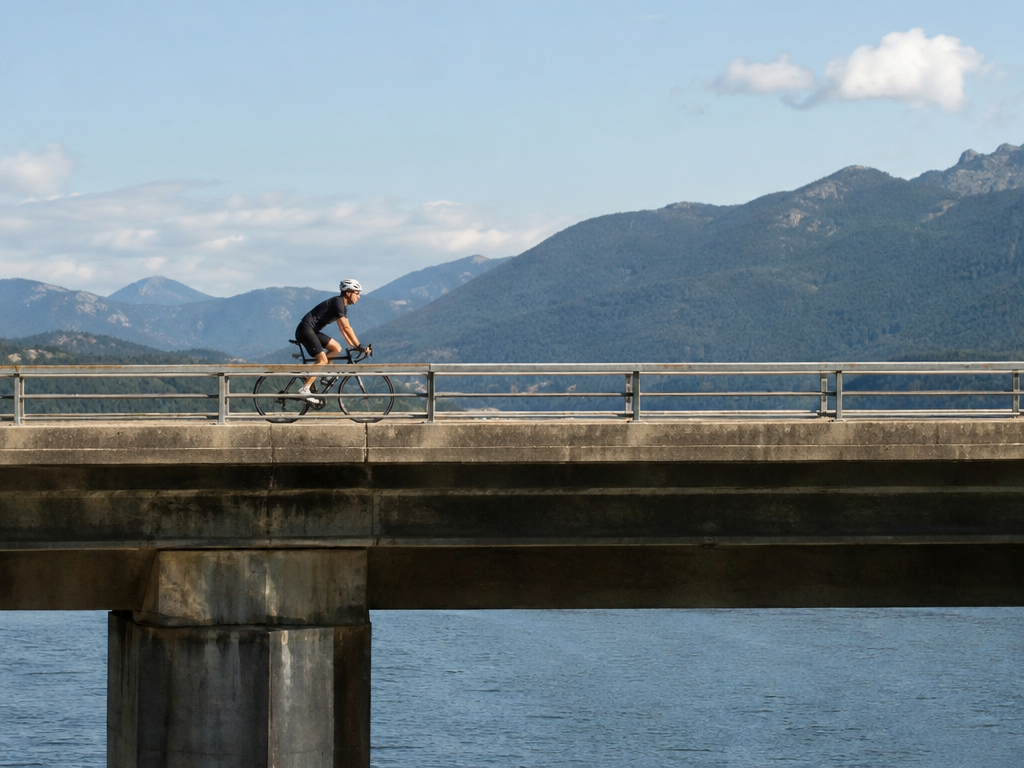
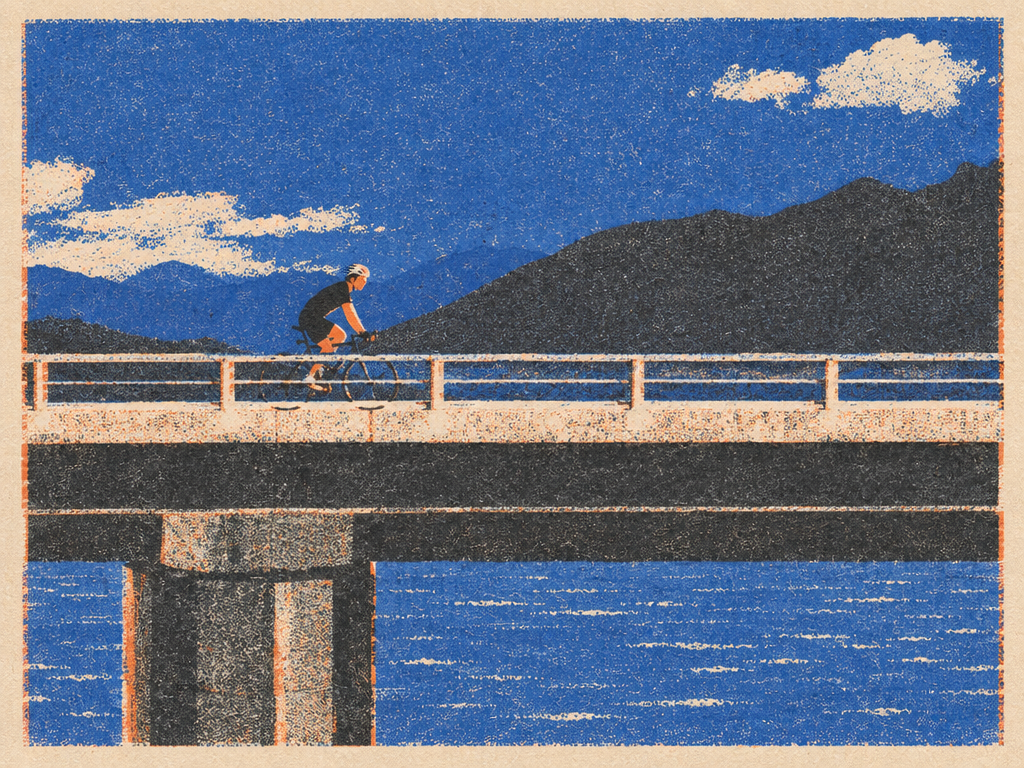
Tell the model which image supplies composition and which supplies only the risograph treatment.
The example redraws the cycling scene in printed-color texture rather than inserting the content of the style sample.
Preview prompt
Use Image 1 as the subject/composition reference.
Use Image 2 only as the visual-style reference.

Transform the cyclist scene into the same risograph visual language as Image 2:
limited ink palette
rough halftone texture
paper grain
slightly imperfect print registration
flat graphic shapes

Preserve the bridge composition, cyclist position and overall scene structure from Image 1.

Do not copy the geometric sun/wave subject from Image 2.
Transfer only its medium, palette and print treatment.
05 / Reference edit
Extract a transparent cutout
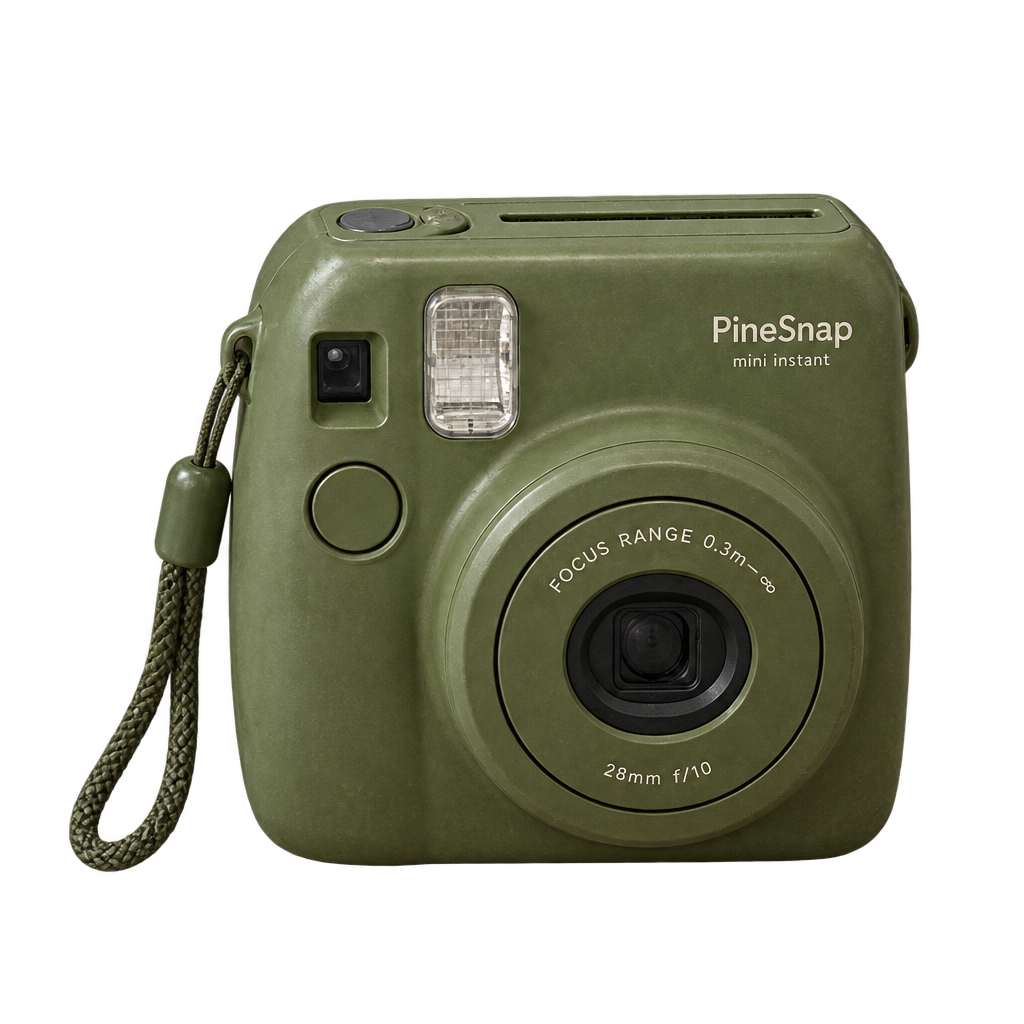
Isolate the camera, remove desk and objects, and set background to Transparent in KiwiMotion.
The output is a separately published PNG; inspect alpha and edge quality before compositing it elsewhere.
Preview prompt
Edit the input photograph.

Extract ONLY the olive-green instant camera.

Remove the desk, mug, paper, background and all surrounding objects.

Preserve:
exact camera geometry
lens
buttons
material
surface wear
colors
small printed details

Output a centered isolated camera with a fully transparent background and clean alpha edges.

No halo.
No checkerboard.
No floor.
No added shadow backdrop.
No redesign.
06 / Reference edit
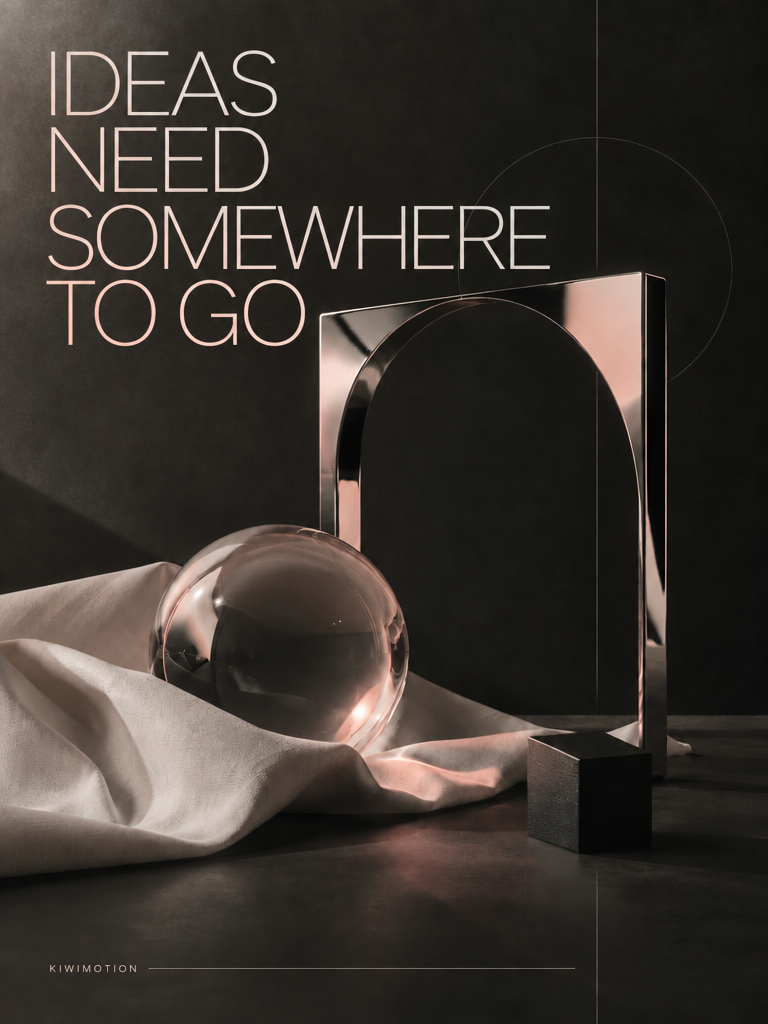
Change exact poster copy
Quote the replacement headline and freeze object positions, background and type treatment.
The headline changes to IDEAS NEED SOMEWHERE TO GO while the chrome object and glass sphere stay in the same arrangement.
Preview prompt
Edit the provided poster.

KEEP UNCHANGED:
all object positions
background
chrome object
glass sphere
fabric
lighting
grid
typographic style
headline position
headline scale
brand signature
overall composition

CHANGE ONLY the headline from:

"MAKE WHAT DOESN'T EXIST"

to:

"IDEAS NEED SOMEWHERE TO GO"

Render the new headline exactly once.

Keep:
"KIWIMOTION"

exactly unchanged.

No additional text.
No redesign.
07 / Reference edit
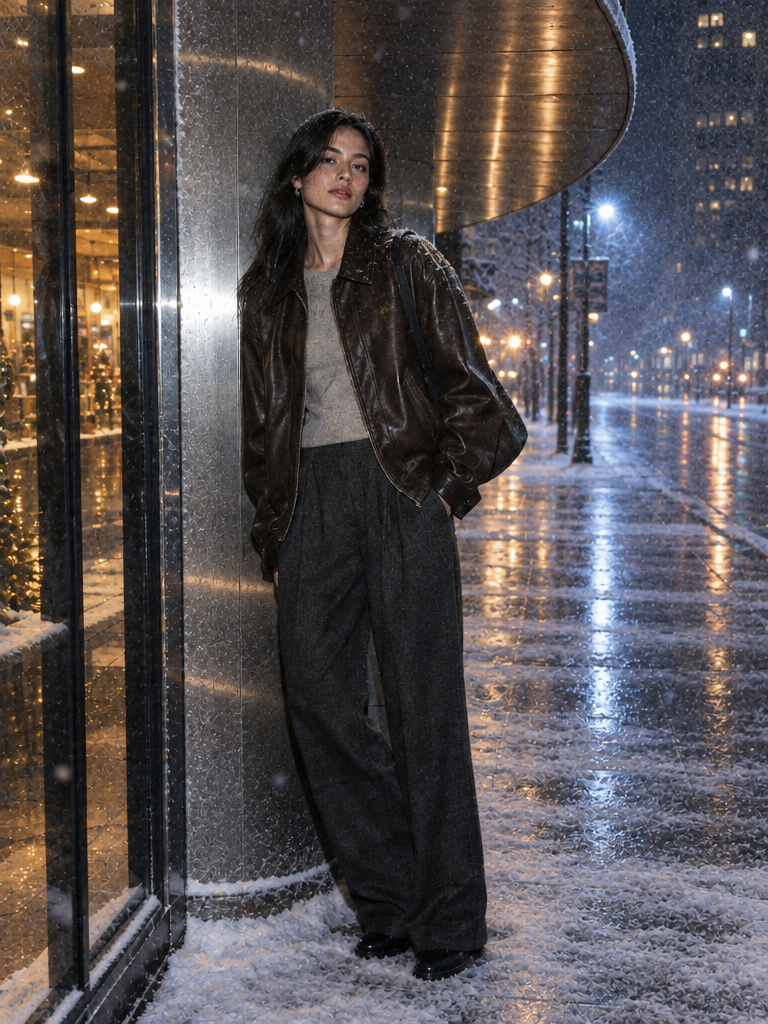
Change weather, keep the person
Protect face, hair, clothes, pose and framing; edit the environment and weather only.
This tests whether a snowy atmosphere can be added around an existing fashion portrait without rebuilding its subject.
Preview prompt
Edit the photograph.

KEEP UNCHANGED:
woman's identity
face
hair
expression
clothing
pose
camera angle
framing
body proportions

CHANGE ONLY the environment and weather.

Transform the city into a quiet winter night after fresh snowfall.

Add:
light falling snow
soft snow accumulation
cool reflected street light
subtle warm storefront glow

Keep the subject naturally integrated and preserve realistic lighting direction.

Do not change her clothing.
Do not add people.
Do not change composition.
08 / Reference edit
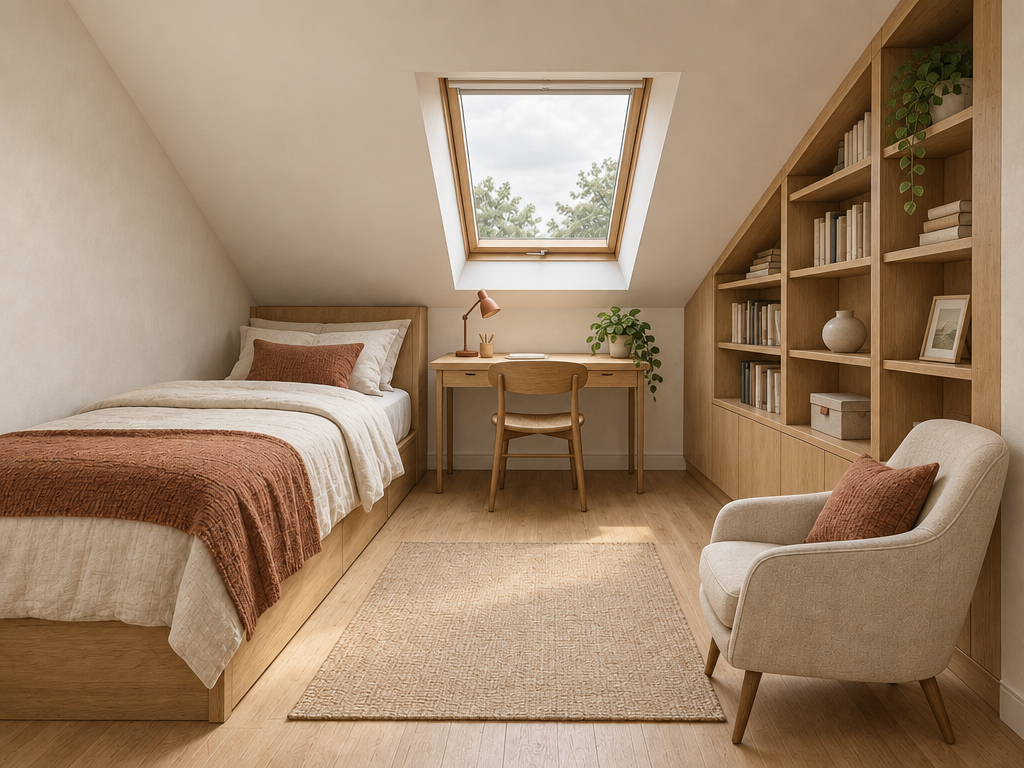
Turn a sketch into a realistic room
Keep roof angle, layout and perspective from the drawing, then specify credible materials and daylight.
The image becomes a photographed attic interior while retaining the main spatial geometry of the sketch.
Preview prompt
Turn this architectural sketch into a realistic photographed interior.

PRESERVE:
exact room layout
perspective
bed location
desk location
skylight
built-in shelving
armchair position
wall geometry

Use:
warm pale plaster walls
natural oak
cream linen
muted rust textile accents
soft cloudy daylight entering through skylight

High-end but believable residential interior photography.

Do not add new furniture.
Do not change the layout.
Do not add text.
09 / Reference edit
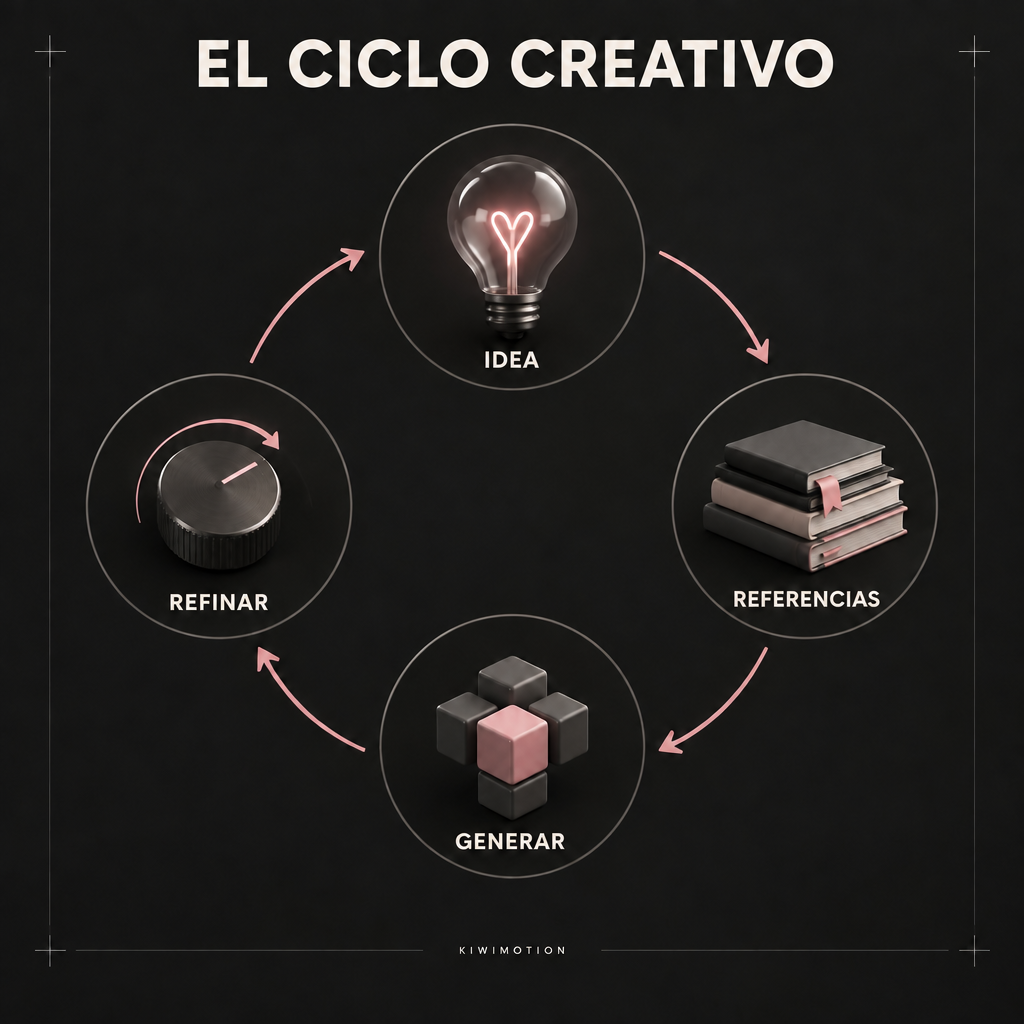
Translate labels without redesigning
List exact English-to-Spanish replacements and explicitly preserve symbols, arrows, color and hierarchy.
The Spanish result reads EL CICLO CREATIVO and preserves the same circular workflow and KIWIMOTION signature.
Preview prompt
Translate ONLY these labels in the provided infographic from English into Spanish:

THE CREATIVE LOOP → EL CICLO CREATIVO
IDEA → IDEA
REFERENCES → REFERENCIAS
GENERATE → GENERAR
REFINE → REFINAR

Replace each English label in its existing position. Do not add a second language or retain the English labels. Keep the layout, colors, typography style, symbols, arrows, background, spacing, visual hierarchy, and KIWIMOTION signature unchanged. Render each Spanish label exactly once and clearly legibly. Do not translate KIWIMOTION. No other visual changes.
10 / Reference edit
Refine across two turns
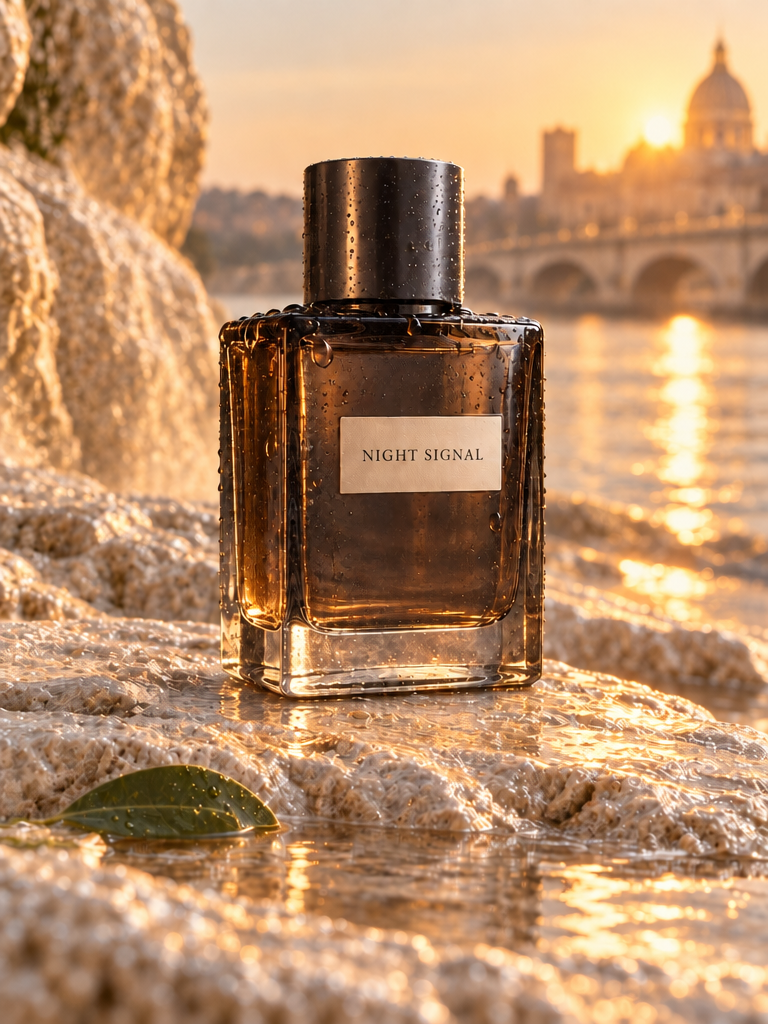
First move the bottle into a sunrise setting; then request only the condensation, keeping the earlier changes intact.
The final result is a narrow follow-up to the published sunrise stage, not a fresh product concept.
Preview prompt
Keep everything else unchanged.

Add subtle condensation droplets only to the outside of the bottle.

Do not alter label legibility or glass geometry.

Preserve both stages.
Review the preserved details
Before publishing an edit, compare faces, object geometry, text, edges, perspective and any area the prompt said to keep fixed. A visually appealing result can still drift in a small label or background object. Transparency should be verified in the PNG alpha channel, not inferred from a preview pattern.